App story · 20 October 2026
From Buy Twp to Avocacoach: Rebuilding My Task App Around Finishing
Rebuilding my task app around finishing—not simply collecting more things to do.


The beginning
The good vibes stayed. The old purpose did not.
I have rebuilt Buy Twp. It is now Avocacoach: a native iPhone and iPad app that brings a few useful agile ideas into everyday life without asking anybody to become a project manager.
Buy Twp already had good vibes, particularly the positive avocado mascot, but I was no longer using an app to prioritise purchases. The visual character still made me smile; the product no longer matched how I organised my life.
At the same time, I had started building a widget for Apple Reminders. That small experiment gave me the more useful idea: instead of replacing a list I already used, I could extend Reminders into something more enjoyable—something that helped me choose what to work on and finish it.
The problem with a very good list
A task list can hold everything. That is also the problem.
Most task apps are excellent at collecting things. They will preserve an idea, a repair, a phone call and a half-started project forever. The harder part is deciding what deserves attention now—and resisting the temptation to start six other things beside it.
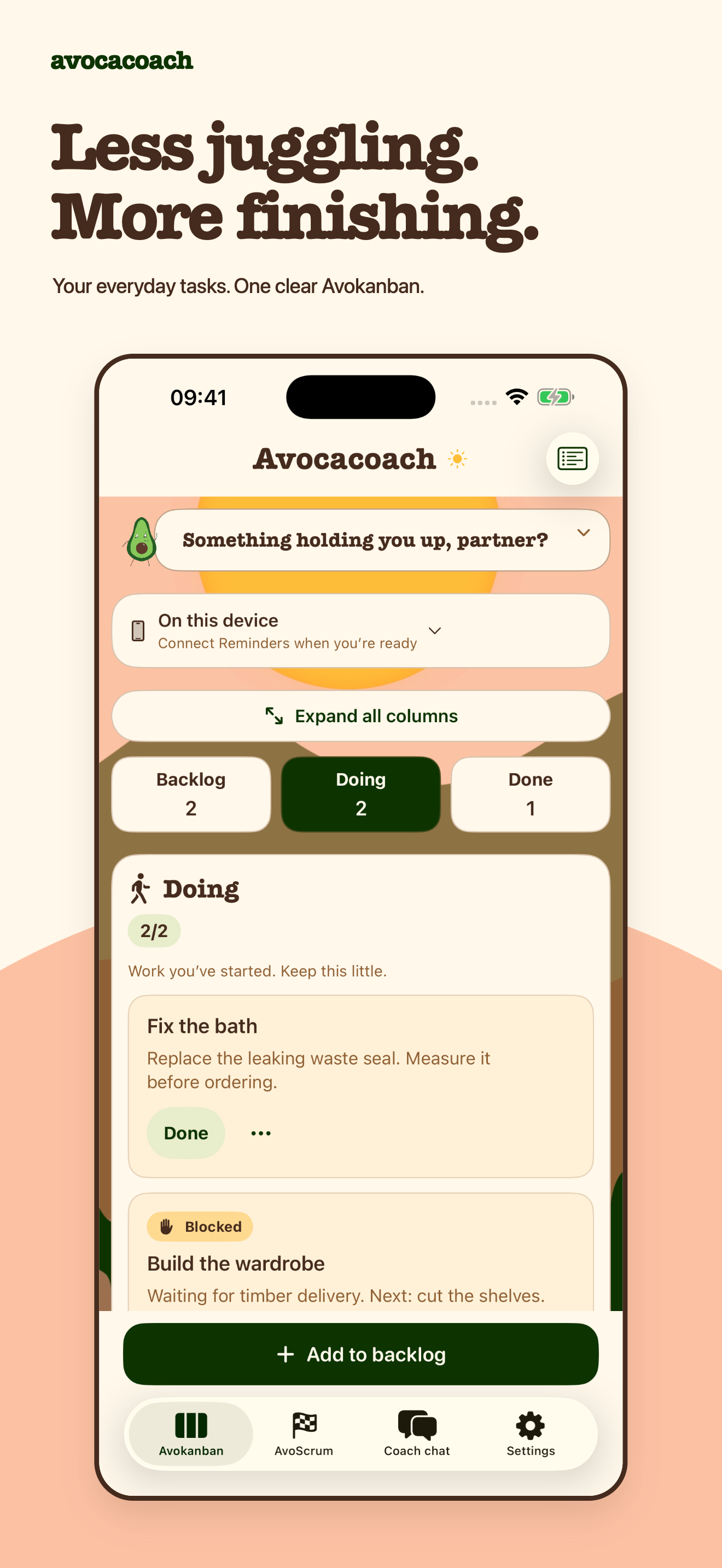
Avocacoach uses Avokanban to make that decision visible. Work begins in Backlog, moves into Doing and finishes in Done. Doing starts with two spaces and can be adjusted from one to five. When those spaces are full, I need to finish or park something before starting more.
A blocked task still counts. The next move may belong to somebody else, but the unfinished work is still occupying attention.
One revealing weekend
Three projects, one lesson about finishing.
One weekend I wanted to make a YouTube video, develop an app and work on a circuitry DIY project. Ordinarily I would have switched continually between all three and carried the feeling that everything was in progress.
Limiting what I could put in Doing changed the shape of the weekend. It helped me commit to the work in front of me and finish something instead of constantly paying the mental cost of changing direction.
That was the useful lesson: the limit was not there to stop me doing things. It was there to help me finish them.
Agile without the meeting room
Explain one useful idea, then leave me in charge.
The app borrows from Kanban and Scrum, but it does not try to recreate a workplace around one person. There are no compulsory ceremonies and no lecture about doing agile correctly.
The coach answers prepared questions about backlogs, Doing limits, blockers and smaller next steps. It is intentionally not an open-ended AI chatbot: there is no typing prompt, external language model or autonomous agent changing tasks on my behalf.
That makes the promise smaller, but clearer. Explain the idea, suggest a useful next move and let me decide what happens next.
Optional connection
Reminders if I want it. Local if I do not.
Avocacoach works as a free local board without a sign-in or account. I can also connect one existing Apple Reminders list.
Task names, notes, due dates and completion can update in Reminders. Avocacoach keeps its board-specific information—such as Kanban stage, blockers and manual order—while Apple continues to own Reminders and its sync.
I wanted that connection to be optional. A small personal app should be useful before it asks for access to anything.
The character came first
Mrs Roberts made a positive avocado. The desert made him a cowboycado.
My wife creates lovely graphics. When I first saw the avocado, there was something unmistakably positive about him. She also had a desert-style background, and bringing those two pieces together created what I thought of as a cowboycado.
The name Avocacoach arrived later, when I brought the agile ideas into the app and gave that positive little character a coaching role.
Plus now gives him his cowboy hat across the app and widgets, and changes the Home Screen icon too. It does not improve sprint planning. It may improve morale.
A little more trail
The useful core stays free.
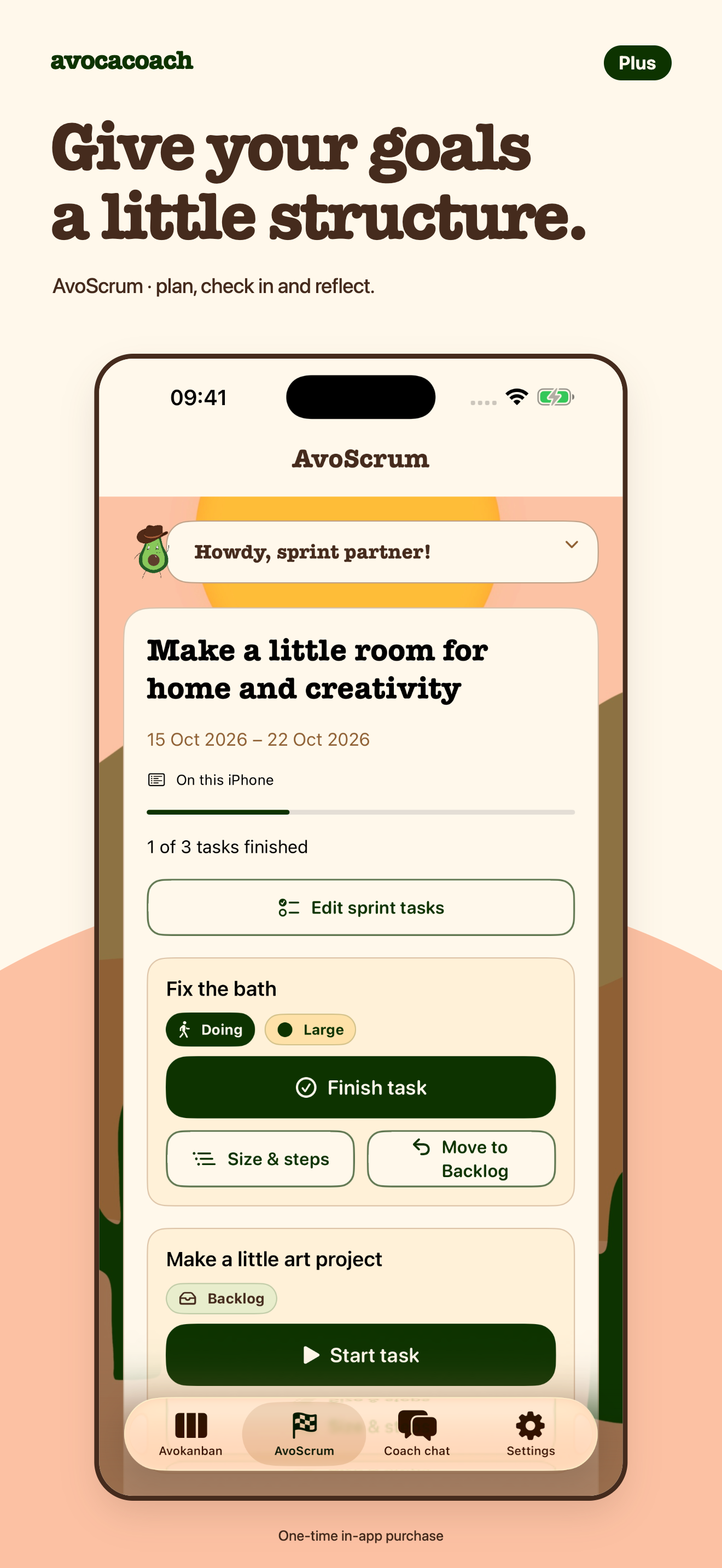
Avokanban, the optional Reminders connection, everyday coach, focus widget and gentle nudges are free. Avocacoach Plus adds structure for people who want it.
AvoScrum brings one goal, a manageable set of tasks, optional check-ins and a short review. Break it down adds saved small steps, while Small, Medium and Large sizing helps expose work that may need simplifying.
Steps and sprints stay as local Avocacoach information rather than becoming native Reminders subtasks or cross-device metadata. Plus is intended to be one purchase, not a subscription, with a planned UK price of £2.99. The live StoreKit product and localised storefront price still need confirmation.
After the first week
I was engaging with Reminders more, not less.
Having a Doing state made it clear what I had actually chosen to work on instead of treating every item in the list as equally current.
The widget also made an empty Doing lane visible. Rather than forgetting the app, seeing that space encouraged me to open Avocacoach, choose the next thing and put it to work.
Beta, honestly described
Try it through TestFlight, partner.
Avocacoach is available for beta testing on iPhone and iPad through Apple TestFlight. This is a chance to use the real app and help me find what needs improving; it is not an announcement of public App Store release.
The app has no Avocacoach account or cloud backend of its own. Apple’s TestFlight service separately collects beta usage and crash information, and can pass feedback to me, as explained in the shared privacy policy.